
Our product
TRIPS consists of four modules: Explore, Guide, Quest and Audits. Explore is the basis and comes first. The other three are added when the school is ready for them, usually in the second year. Below you can read per module what it is, what you do with it, what that looks like in practice and what it asks of your school.
Explore: all school data in one dashboard
What it is
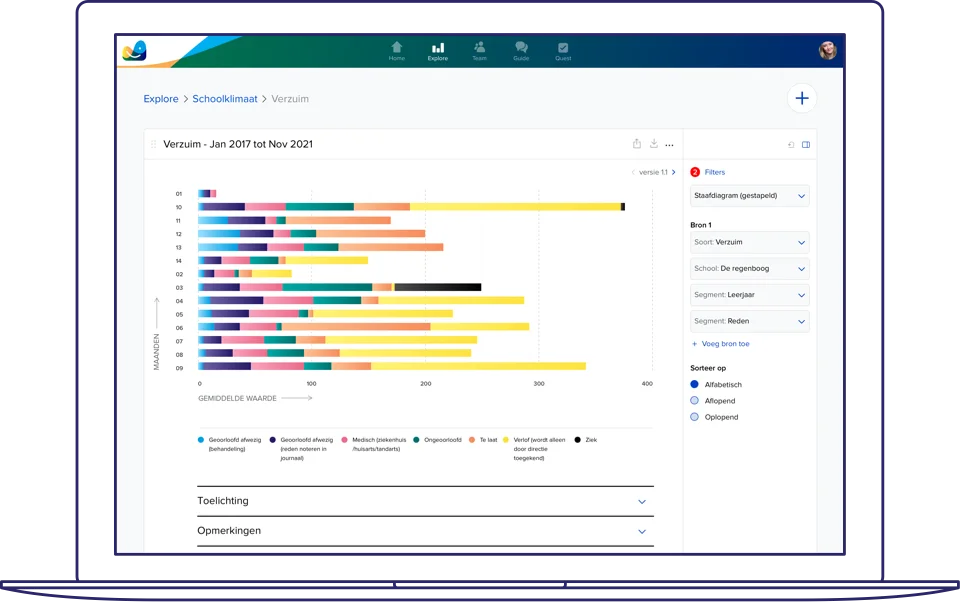
TRIPS Explore is the basis of TRIPS. We connect your school’s source systems, such as ParnasSys, ESIS, Magister or Somtoday, and the school adds its own files, such as a spreadsheet with the school standard. All the data comes into one environment, at the level of pupil, group, school and school board.
What you do with it
You start with a question and turn it into a visualisation: a line, bar, pie or radar chart. Overviews that every school needs are ready as standard visualisations. Teachers see the results of their own group or class, the school leadership sees the school as a whole and the school board sees all its schools side by side.

How it can go
An internal support coordinator wants to know whether absence in year 6 is related to the maths results. In Explore she puts absence per month next to the test scores of the same group. That used to take an afternoon with two systems and a spreadsheet. Now it is on screen in a few minutes and she takes it to the group meeting.
What it asks of the school
Connecting the source systems takes about two to three months. For that, the school needs someone who knows the systems and can arrange access. After the hands-on training your team builds visualisations itself; a TRIPS coach helps in the first year with the questions you want to answer.

Guide: the appraisal cycle with the data at hand
What it is
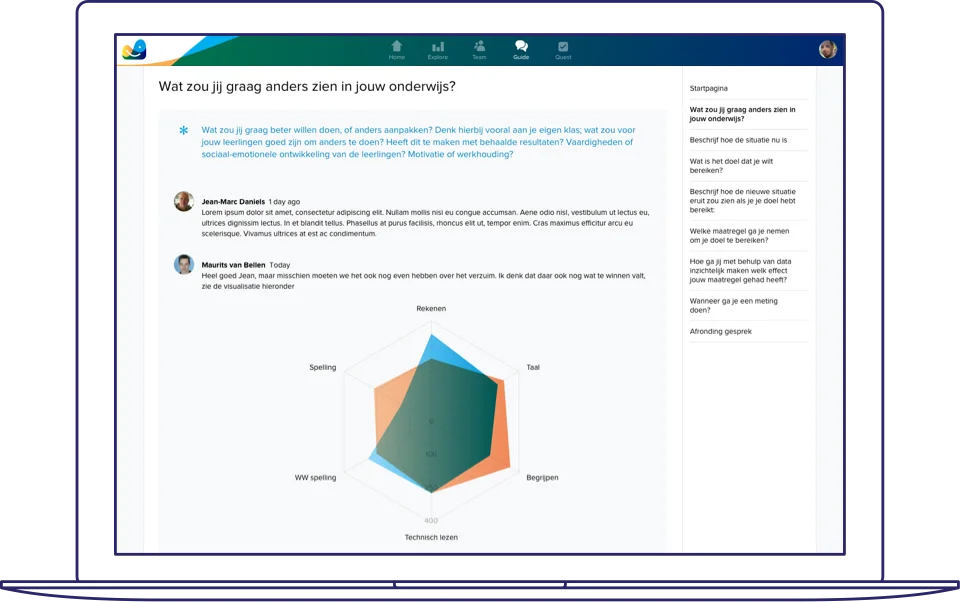
Guide is the appraisal cycle of TRIPS. Every conversation, from the initial conversation to the final evaluation, gets a report with agreements and measuring points. Together those reports form a teacher’s development file.
What you do with it
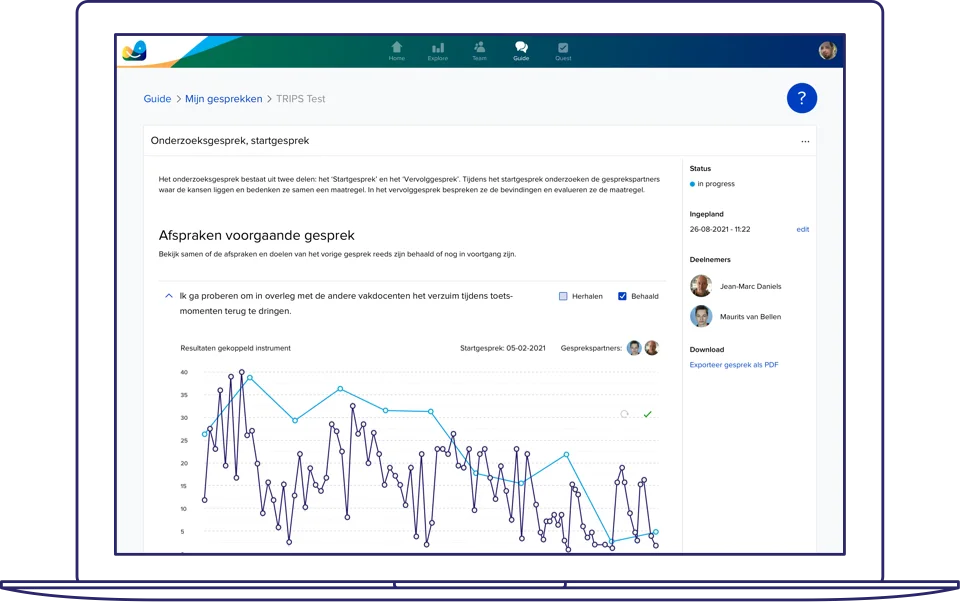
The teacher decides what comes to the table in the conversation: the school’s standard form, or a visualisation from Explore that makes a gut feeling concrete. The manager plans the conversations and makes sure the cycle is completed. Agreements from the previous conversation are ready again at the next one.
How it can go
A teacher notices that his second-year class has been scoring worse on tests since the autumn break. He puts the grades per period in a chart, adds it to his progress conversation and agrees with his team leader to adjust the lesson structure. At the next conversation the same chart is there again, with the new period added.
What it asks of the school
Guide builds on Explore; most schools start with it in the second year. Beforehand you agree which forms the school uses, who holds which conversations and who may view a file. The teacher stays in charge of what is discussed about his or her lessons.
Quest: feedback from pupils and colleagues
What it is
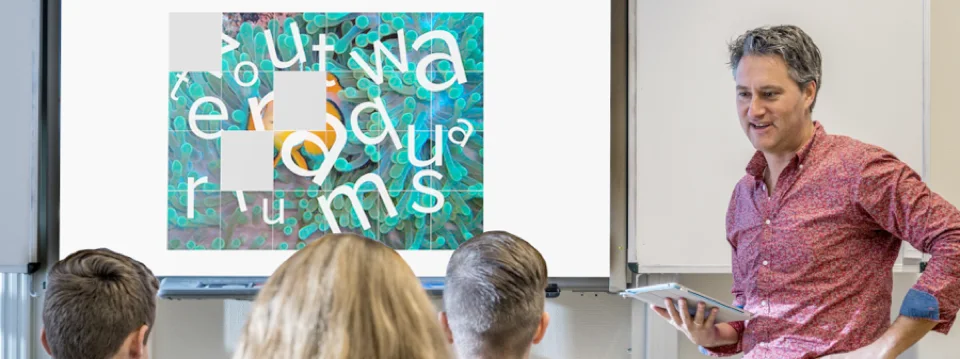
Quest is the questionnaire module of TRIPS. You use it to send out pupil surveys, lesson observations, 360° feedback and self-reflections. The questionnaires are short and cover one theme. The pupil survey and the lesson observation match each other, so you can compare what pupils say with what a colleague saw in the lesson.
What you do with it
The teacher chooses when he or she asks for feedback and from whom: pupils, colleagues or the manager. You add your own questions to the standard questionnaires. They can be filled in on a phone, tablet or computer. The results then appear in Explore, next to the other data of the school.
How it can go
A teacher wants to know whether her instruction is clear. She sends out a short pupil survey on instruction in year 7 and asks a colleague to observe the same lesson with the matching observation form. She takes the two results side by side to her development conversation in Guide.
What it asks of the school
Quest mainly asks for an agreement in the team: what you do with the results and who sees them. The teacher stays in charge of their own feedback. The more often teachers ask for feedback, the more the results tell you; so schedule it, for example before every conversation in Guide.
Audits: the quality of all schools in view
What it is
Audits is the module for school boards with several schools. The quality of each school is recorded on a digital quality card, with the elements of the inspection framework and the board’s own priorities.
What you do with it
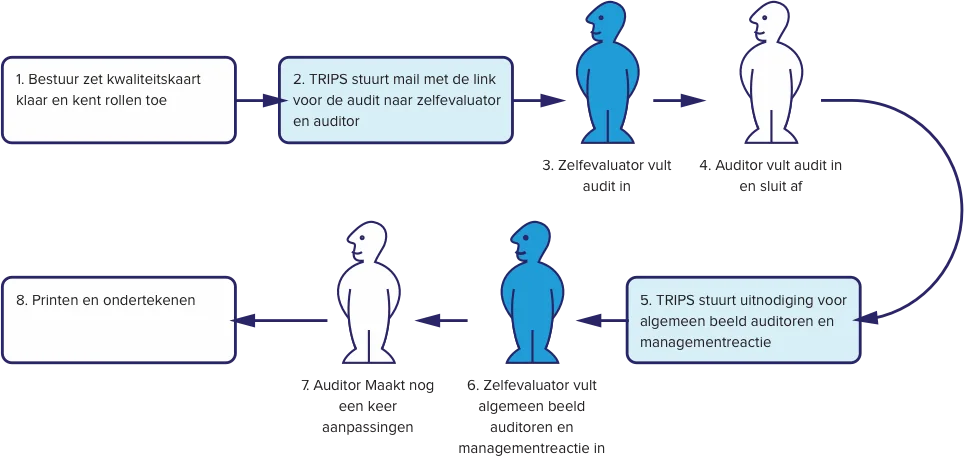
The board prepares the quality card and appoints a self-evaluator and an auditor for each school. Both work in the same system: the self-evaluator fills in the card, the auditor assesses and closes it, and then follow the overall picture and the management response. You add documents and links to the card, so the file is complete. The board sees the cards per school and across all schools together.
How it can go
A school board wants to know before the summer how each school is doing on teaching practice. The principals fill in their card as self-evaluators, internal auditors visit the schools and fill in their part. The board sees in one overview which schools are in order on this point and where a follow-up conversation is needed.
What it asks of the school
Audits asks the board for a quality card that fits its own framework, and for each school a self-evaluator and an auditor who are given time for it. We set up the card in TRIPS together with the board; filling it in and assessing it is done by the organisation itself.
Which modules suit your school?
Tell us which systems your school uses and which questions you want to answer. Then we show you where TRIPS starts at your school.